
Automatic backup
The Bisq application automatically creates a backup whenever a data storage file is updated. Recent backups are retained more densely, while older ones are gradually thinned out. This approach maintains a good balance between storage usage and ensuring that sufficiently recent backups are available when needed.
Backup snapshots are created on every write (the backup filename is the store filename plus the timestamp format yyyy-MM-dd_HHmm) and are grouped by the store’s parent filename.
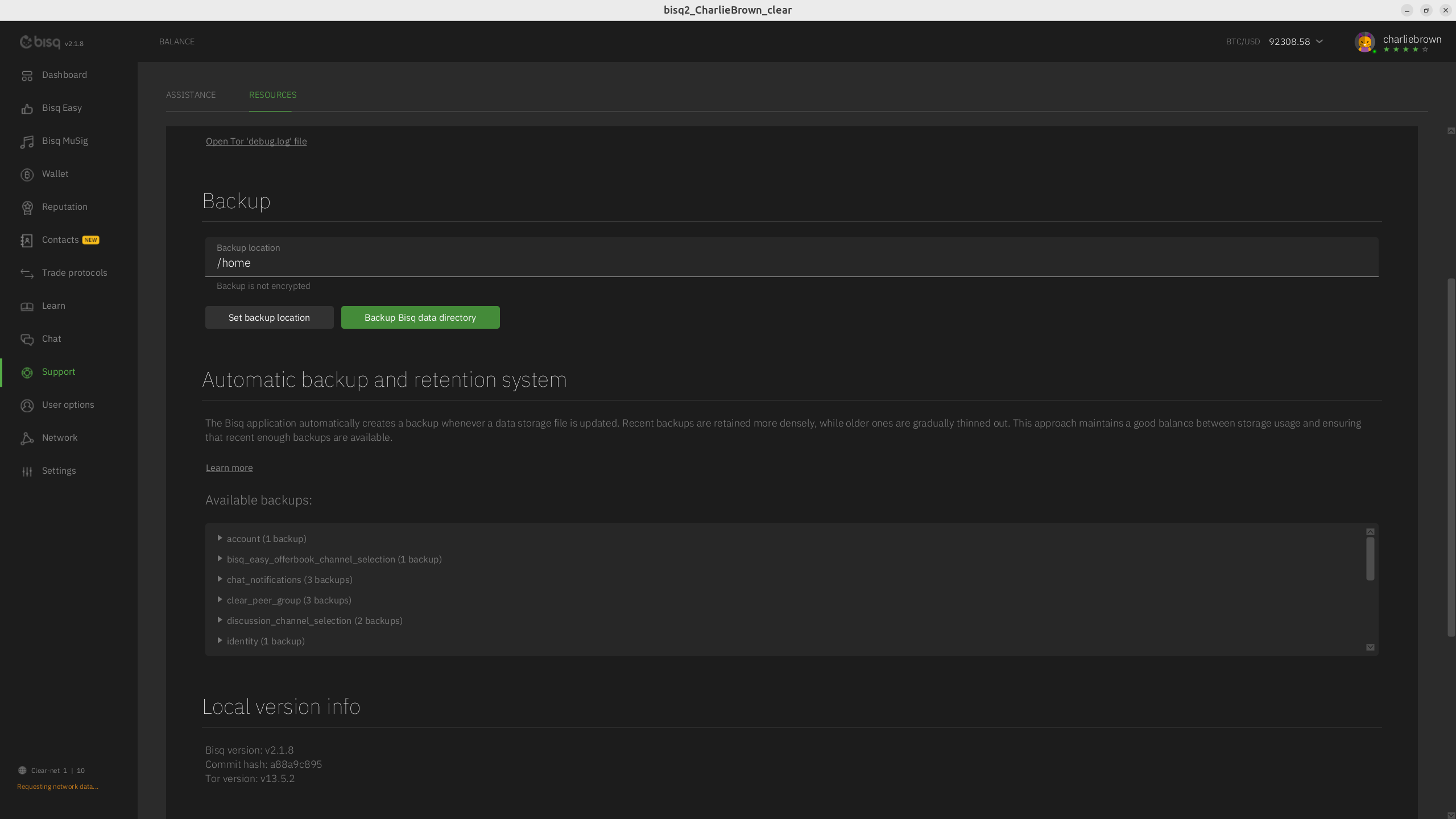 Full-size historical file recovered from the 14 October 2026 archive.
The system keeps backup snapshots based on the following rules and the MaxBackupSize (default 100MB):
- Last hour: a snapshot every minute
- Past hour → 24 hours: the most recent snapshot from each hour is kept
- Past day → 7 days: the most recent snapshot from each day is kept
- Past week → 28 days: the most recent snapshot from each week is kept
- Past month → 1 year: the most recent snapshot from each month is kept
- Older than a year: the most recent snapshot from each year is kept
Source and history
This article keeps its recovered wording, headings, step order and available images. Formatting and links are adapted for this site. The snapshot does not guarantee that every instruction is current.
- Original page
- Automatic backup
- Revision
- 4096 · 14 Dec 2025
- Last recorded editor
- SuddenWhipVapor (not a complete author list)
- Snapshot
- 18 October 2026
- Source files
- Original wikitext · Revision metadata
- Image references
- 1 recovered, 0 missing · Media catalogue
- Recovery gaps
- 0 restored historical template occurrences · 0 unresolved templates · 0 unresolved article links · 0 unresolved sections