
Deposit transaction
A deposit transaction is created when an offer is taken—this transaction is a core element of Bisq's 2-of-2 multisignature escrow mechanism for securing trades.
Verifying a deposit transaction
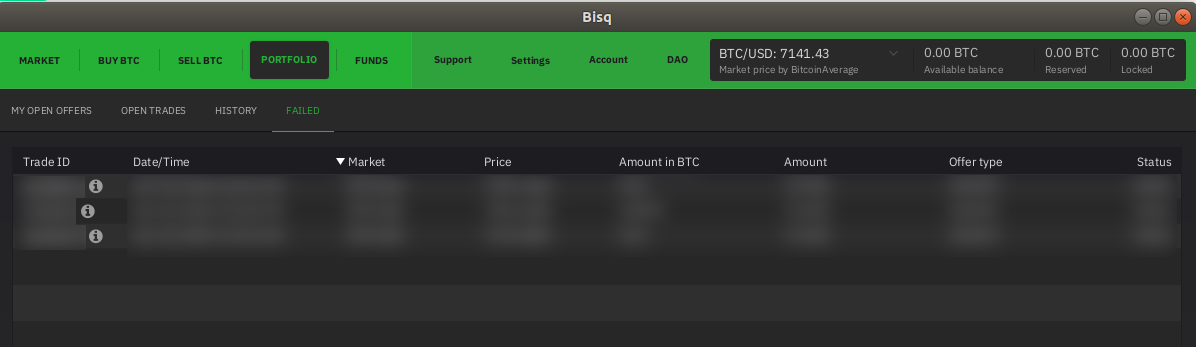
1. Go to the Open Trades or Failed tab and click on the i icon next to trade ID.
Full-size historical file recovered from the 14 October 2026 archive. Provenance catalogue.
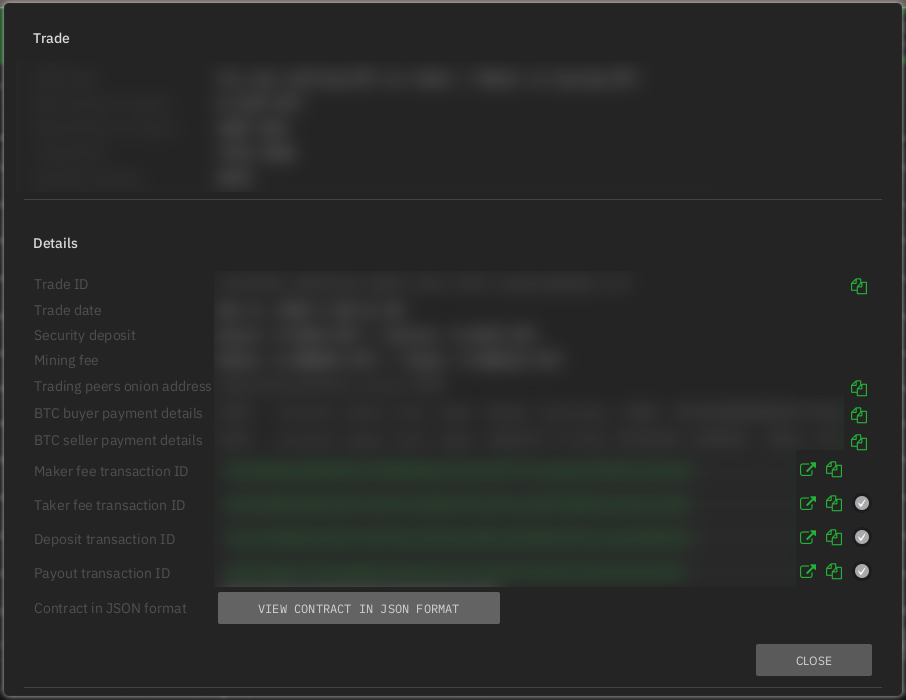
2. Find the Deposit transaction ID
Historical full-size recovered source. Provenance catalogue.
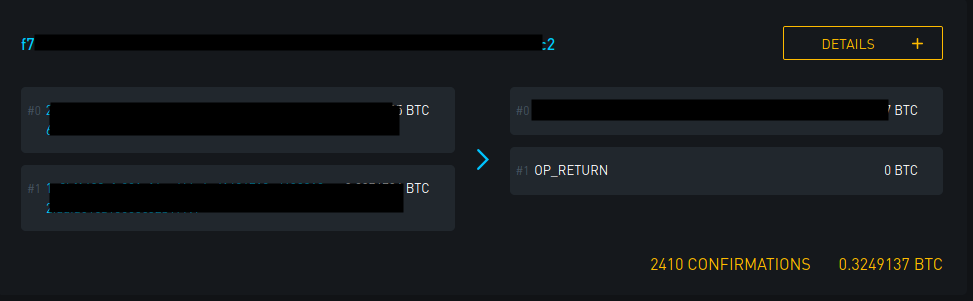
3. Search for the ID using any Bitcoin block explorer such as blockstream.info. If the Deposit transaction is valid you'll see the following result:
2 outputs - the first is the deposit to the multi signature bitcoin address and the second is an OP_RETURN code.
Historical full-size recovered source. Provenance catalogue.
Source and history
This article keeps its recovered wording, headings, step order and available images. Formatting and links are adapted for this site. The snapshot does not guarantee that every instruction is current.
- Original page
- Deposit transaction
- Revision
- 1533 · 19 Jun 2020
- Last recorded editor
- M52go (not a complete author list)
- Snapshot
- 18 October 2026
- Source files
- Original wikitext · Revision metadata
- Image references
- 3 recovered, 0 missing · Media catalogue
- Recovery gaps
- 0 restored historical template occurrences · 0 unresolved templates · 0 unresolved article links · 0 unresolved sections