
Matrix bisq.chat
Matrix is a messaging platform used by Bisq for discussions of all things related to Bisq. It is also the place for Bisq users to access support agents with any questions they might have.
Matrix replaced Keybase as the main Bisq messaging platform around January 2022. If you are still using Keybase it is recommended to move over to Matrix by visiting bisq.chat.
Matrix
Matrix.org is a secure, decentralized, real-time communication tool replacing Keybase, the tool previously used by Bisq prior to 2022. Bisq self-hosts bisq.chat, a Matrix team server, which takes a step further on the grade of censorship-resistance and privacy.
Using Matrix
Web interface
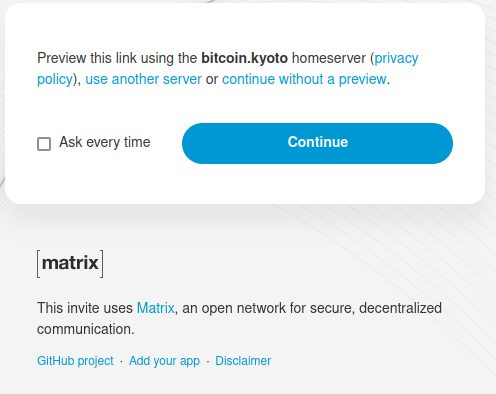
Matrix can be used as a web based app. That's a big advantage, specially for users only requiring occasional support and who don't need to keep on the day to day conversations. To start using [bisq.chat] just click the link and you'll see a page like this:
Historical full-size recovered source. Provenance catalogue.
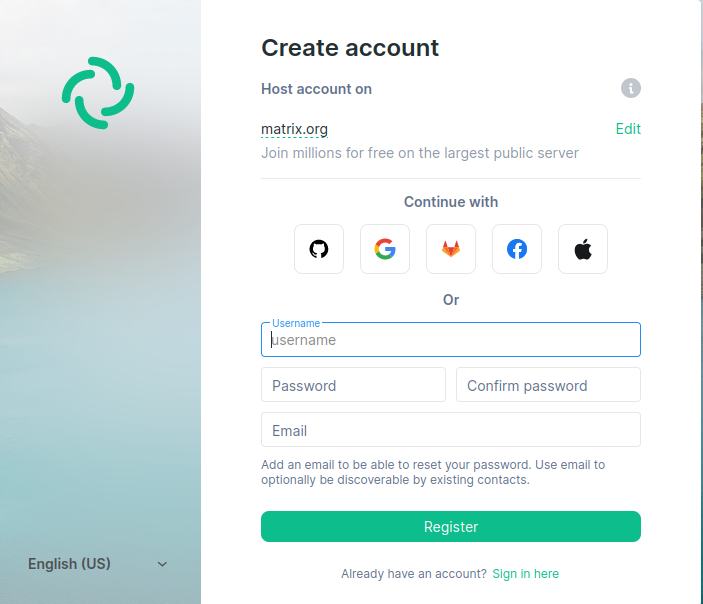
Click continue and many Matrix clients will be displayed. Select Element, which is one of the most popular and can be used without installing software. Click the continue in your browser button and the web app Element will load. Click join and create account, as we suppose you don't have a matrix account yet. Next image shows fields needed to host the account at matrix.org. There are other hosts requiring different data to join.
Historical full-size recovered source. Provenance catalogue.
Joining channels
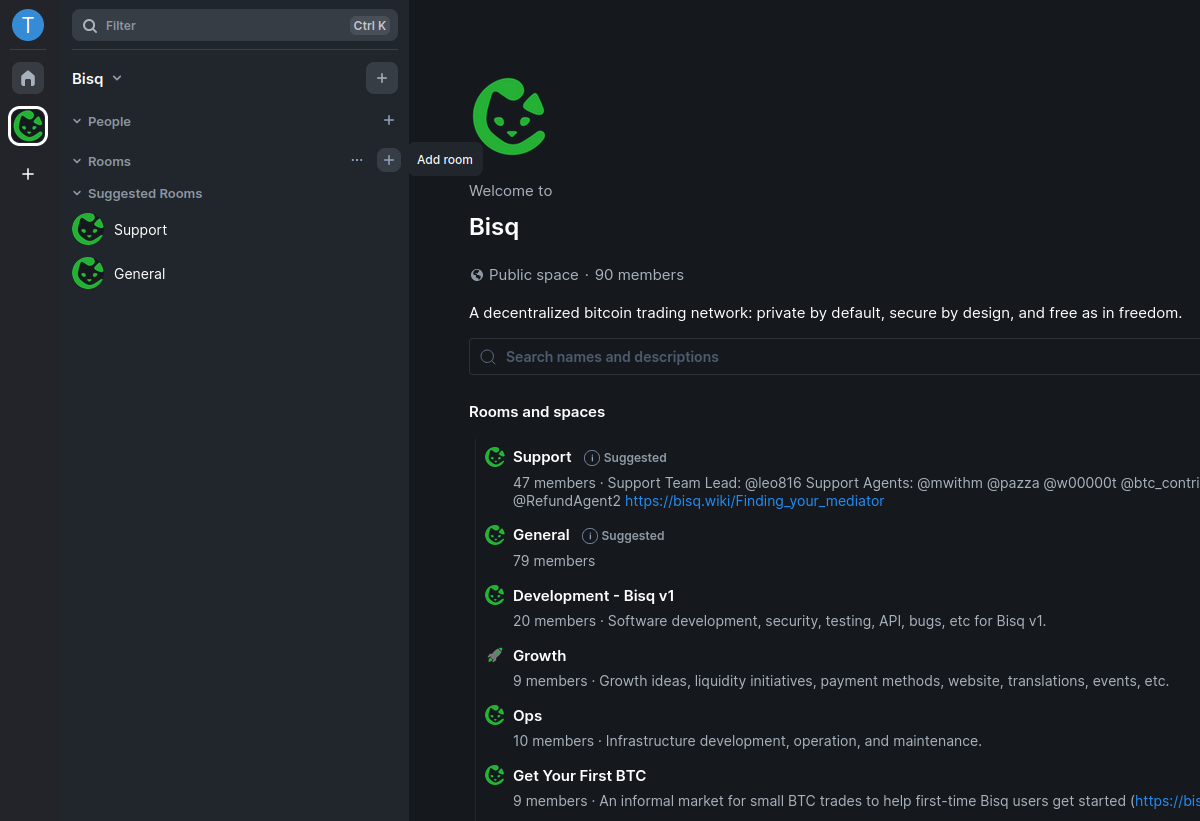
Once the matrix.org hosting account has been created, you'll see the General and Support channel.
Click on the + sign on Rooms and then Explore rooms to join other channels.
Full-size historical file recovered from the 14 October 2026 archive. Provenance catalogue.
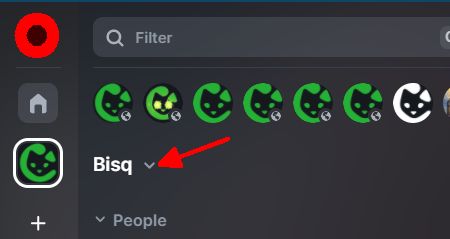
Alternatively, after selecting Bisq space icon in the leftmost column, click on the Bisq dropdown and choose Explore rooms.
Historical full-size recovered source. Provenance catalogue.
Installing Element
To install Element on your desktop, go to https://element.io/get-started#download, select your OS and follow the instructions. Check other clients and platforms here.
You can also download and install Element on Android or iOS through their app stores.
Source and history
This article keeps its recovered wording, headings, step order and available images. Formatting and links are adapted for this site. The snapshot does not guarantee that every instruction is current.
- Original page
- Matrix bisq.chat
- Revision
- 4032 · 12 Jun 2025
- Last recorded editor
- SuddenWhipVapor (not a complete author list)
- Snapshot
- 18 October 2026
- Source files
- Original wikitext · Revision metadata
- Image references
- 4 recovered, 0 missing · Media catalogue
- Recovery gaps
- 0 restored historical template occurrences · 0 unresolved templates · 0 unresolved article links · 0 unresolved sections