
Emergency wallet
Warning
Ask for help on Matrix to make sure this is the best solution to your issue. Use under your own risk.
Backup
Make a backup of your Bisq data before using the emergency wallet.
Emergency wallet
This tool allows you to send all funds to a BTC or BSQ address. It should be used only when Bisq wallet is corrupted. You can access to external wallet through shortkey 'Ctrl + e' or 'alt + e' or 'cmd + e' for BTC, and 'Ctrl + b' or 'alt + b' or 'cmd + b' for BSQ.
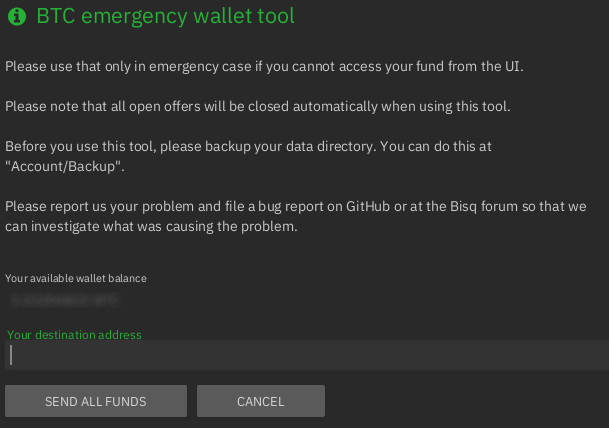 Full-size historical file recovered from the 14 October 2026 archive.
Restore wallet from seed
If the emergency wallet tool produces a transaction that fails to broadcast (you can see that at Funds > Transactions) you can import private keys to a new Bisq instance at Accounts > Wallet Seed - Restore wallet from seed. Importing seeds to an external wallet should be used only if this method fails, and is extremely recommended to report it to support.
Source and history
This article keeps its recovered wording, headings, step order and available images. Formatting and links are adapted for this site. The snapshot does not guarantee that every instruction is current.
- Original page
- Emergency wallet
- Revision
- 2754 · 22 Jan 2022
- Last recorded editor
- W000000t (not a complete author list)
- Snapshot
- 18 October 2026
- Source files
- Original wikitext · Revision metadata
- Image references
- 1 recovered, 0 missing · Media catalogue
- Recovery gaps
- 0 restored historical template occurrences · 0 unresolved templates · 0 unresolved article links · 0 unresolved sections