
Paying trading fees with BSQ
Paying trade fees with BSQ enables traders to get a 50% discount on trading fees while compensating Bisq contributors.
This article explains how to get BSQ and use it to pay for trading fees.
Background
Bisq's BSQ colored bitcoin token is different from most other exchange tokens: the primary reason it exists is to enable the decentralized operation and management of the Bisq network. That means no central wallets or accounts to accumulate funds, and no legal entity or leadership team to control strategy.
For traders, BSQ offers discounted trading fees. This article covers how to buy BSQ and use it to get a discount on trading fees.
Acquire BSQ
Although BSQ is BSQ technically bitcoin, it’s colored bitcoin that must be kept in a Bisq wallet, separate from plain bitcoin.
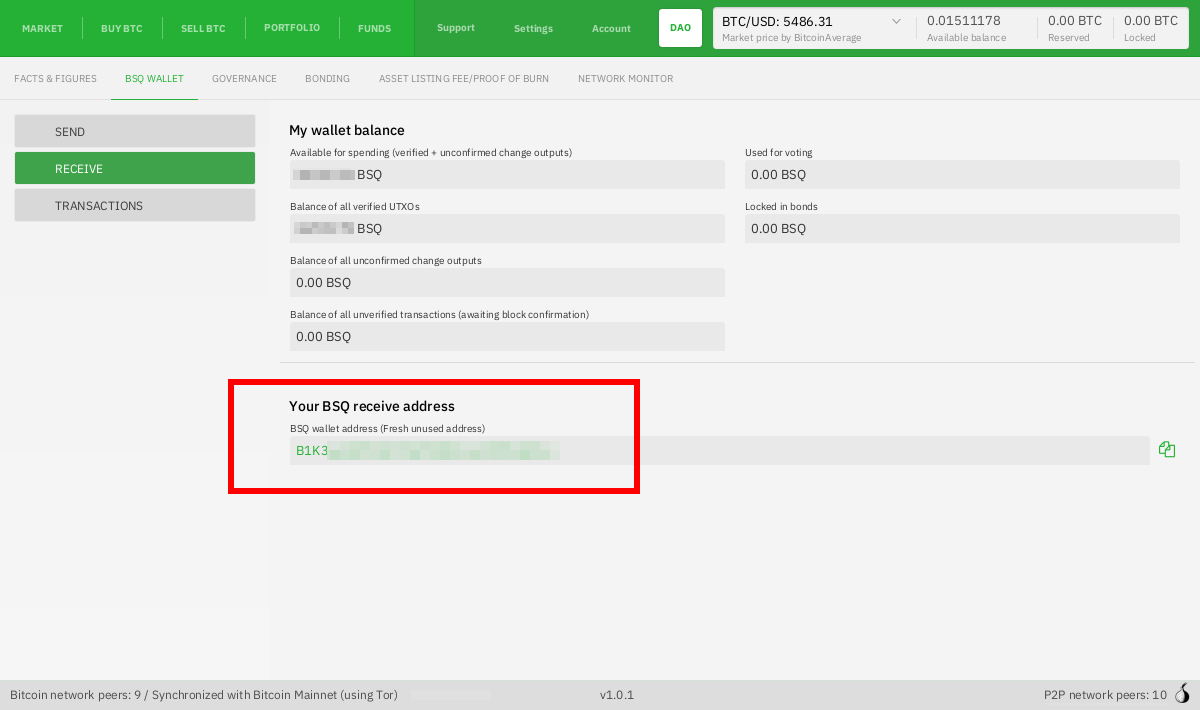
To help you do this, and to avoid mistakes, Bisq automatically generates a separate BSQ wallet with addresses prefixed with a B—so you can be sure when you’re sending or receiving from a BSQ address.
Retrieve your BSQ address
You can find your BSQ wallet address in DAO > BSQ wallet > Receive.
Historical full-size recovered source. Provenance catalogue.
Create BSQ payment account
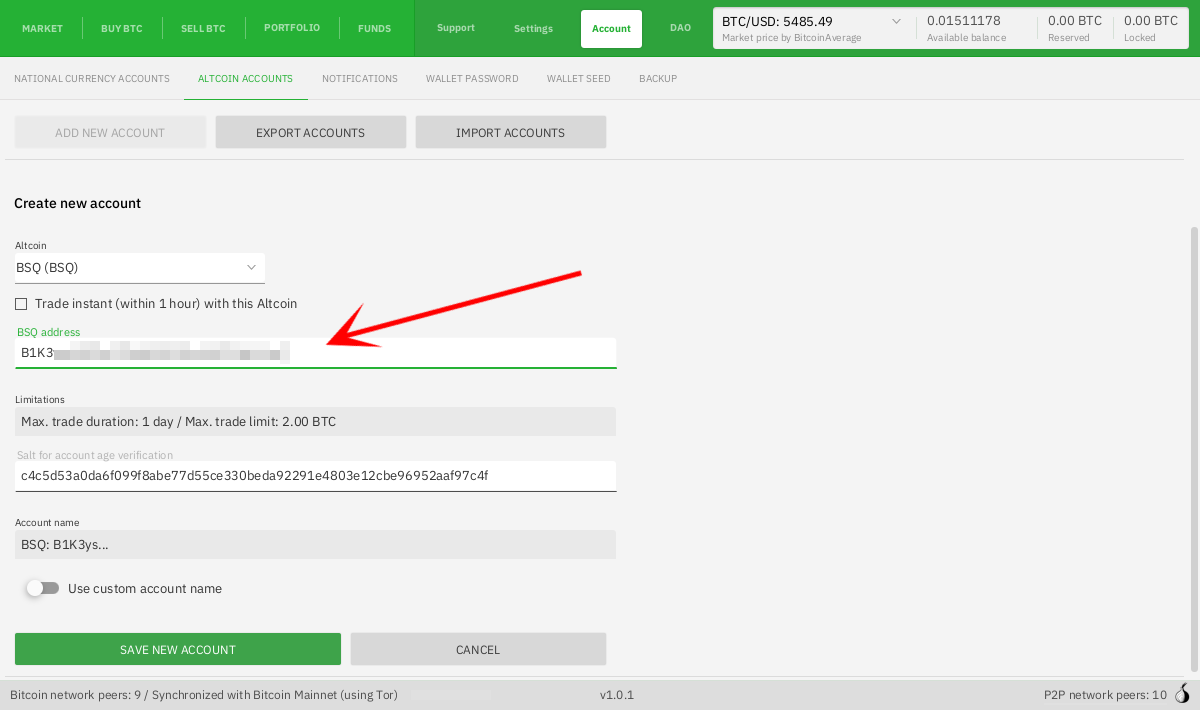
To trade BSQ on Bisq, you need to set up an altcoin account using your BSQ address. If you're curious about Instant trades, check out Altcoins Instant this article.
Historical full-size recovered source. Provenance catalogue.
Make or take a BSQ offer
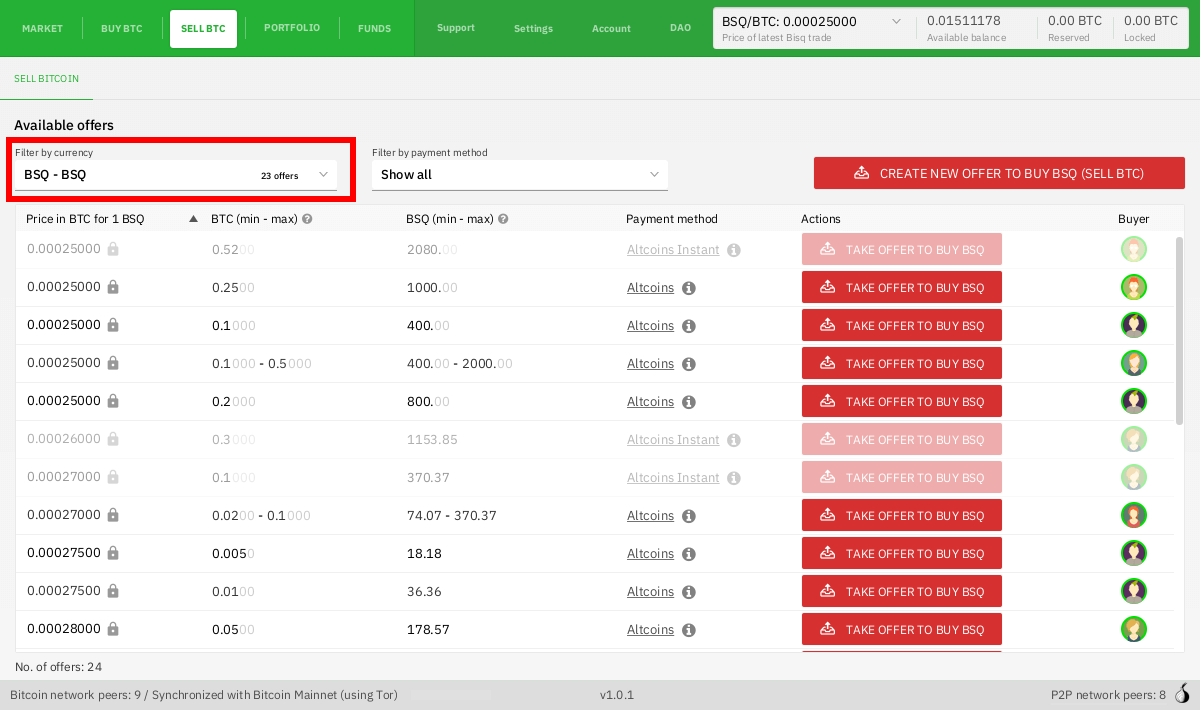
Once you have a BSQ payment account set up, you can buy and sell BSQ.
Pick an offer you like (or make an offer of your own) and complete the trade.
Historical full-size recovered source. Provenance catalogue.
Use BSQ to pay trading fees
Once you’ve got some BSQ, you can use it to pay trading fees.
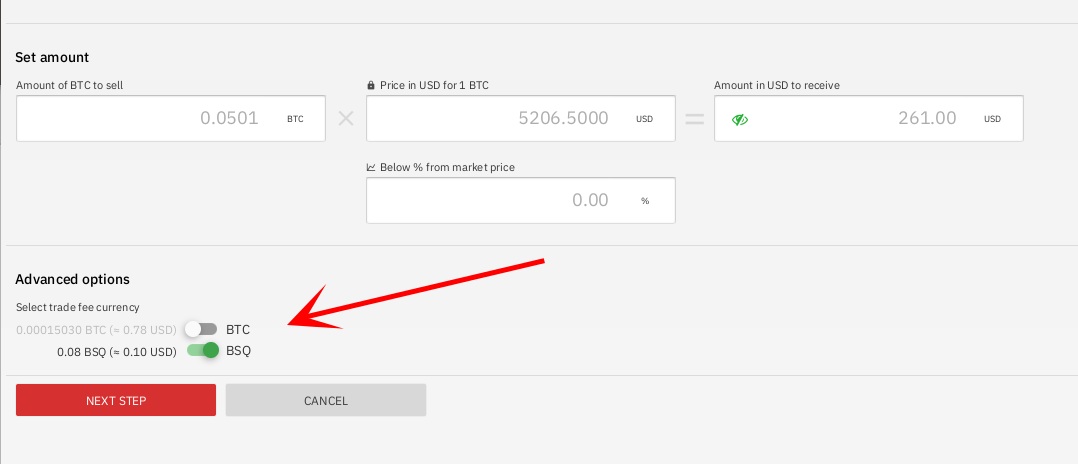
When you get to the Take offer screen where you confirm the trade amount, you’ll see a toggle for trading fees where you can select between BTC and BSQ trading fees.
Historical full-size recovered source. Provenance catalogue.
Pick the option you like better and complete the trade!
Beyond trading fees
BSQ is also a core element of Bisq’s governance mechanism, allowing stakeholders (contributors, traders, and anyone else who uses or helps the project) to have a hand in crafting the strategy of the project through a voting process.
Learn more in the DAO introduction or DAO main page.
Source and history
This article keeps its recovered wording, headings, step order and available images. Formatting and links are adapted for this site. The snapshot does not guarantee that every instruction is current.
- Original page
- Paying trading fees with BSQ
- Revision
- 2182 · 23 Apr 2021
- Last recorded editor
- Plebeian9000 (not a complete author list)
- Snapshot
- 18 October 2026
- Source files
- Original wikitext · Revision metadata
- Image references
- 4 recovered, 0 missing · Media catalogue
- Recovery gaps
- 0 restored historical template occurrences · 0 unresolved templates · 0 unresolved article links · 0 unresolved sections