
Encrypting your wallet
Before encrypting your wallet, your Bisq wallet files are stored on your machine's drive in plain text.
This is not a good idea—anyone who gains access to your computer (whether by physically stealing it or by hacking it remotely) can gain access to your private keys and take your bitcoin.
Setting a password encrypts your Bisq wallet files so they’re useless to anyone without the password.
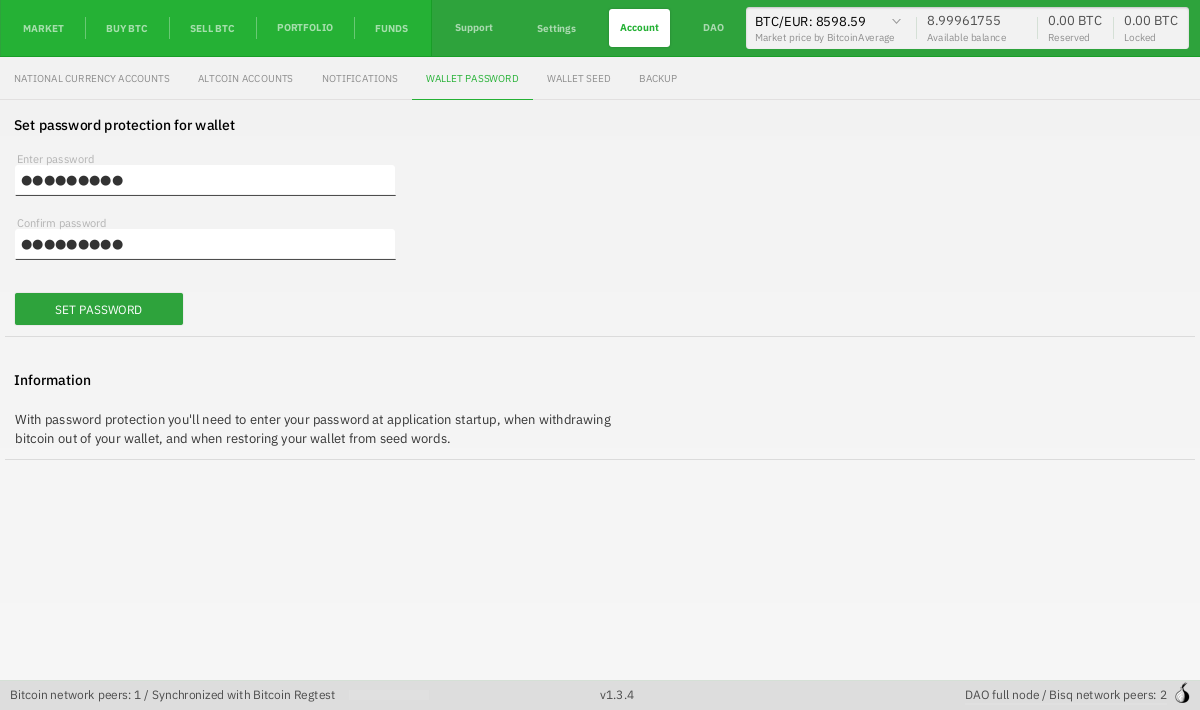
To set a password, go to Account > Wallet Password and enter a strong password.
Do not forget this password, as it cannot be reset. Bisq will ask for your password every time it starts, so if you do happen to forget it, the only way to open Bisq will be to restore your wallet from seed words.
Historical full-size recovered source. Provenance catalogue.
Source and history
This article keeps its recovered wording, headings, step order and available images. Formatting and links are adapted for this site. The snapshot does not guarantee that every instruction is current.
- Original page
- Encrypting your wallet
- Revision
- 1267 · 30 May 2020
- Last recorded editor
- Plebeian9000 (not a complete author list)
- Snapshot
- 18 October 2026
- Source files
- Original wikitext · Revision metadata
- Image references
- 1 recovered, 0 missing · Media catalogue
- Recovery gaps
- 0 restored historical template occurrences · 0 unresolved templates · 0 unresolved article links · 0 unresolved sections